underground mine planning · beta
Block model to schedule, with Pip at the desk.
MineJue is mine design and scheduling software for underground planners. Load a block model, and seven steps take you to optimised stopes, level development, a decline, a ventilation check and a levelled life-of-mine schedule. It runs in a browser on your PC, and Pip is built in: ask it to redesign, and it changes the settings, reruns the step and shows you what moved.
- Runs on your own PC
- Rule-based, repeatable designs
- Exports to the formats your team uses
Illustration of a level plan
seven steps
One workflow, from the model to the mine plan
Each step builds on the last, keeps its settings, and can be run again on its own. Change a setting and only what depends on it is redesigned.
Block model
Read a block model in common formats, fields and value ranges checked, and the blocks above cut-off drawn in grade bands.
Stope shapes
Each lode found and optimised along its own strike and dip, with several runs kept tube by tube, pillars and wall smoothing.
Infrastructure
On every level: access, ore drives or crosscuts, sump, stockpile, return-air drive and the raises, kept clear of the stopes.
Decline
A racetrack, spiral or figure 8 at your gradient and radius, fitted to the accesses, each access meeting it square.
Ventilation
Steady-state airflow through the design with every level drawing at once, regulators shared by need, fan power sized.
LOM schedule
Activities from the design, levelled against your fleet, calendar and ore target, with what each stope waited for.
Export
Solids and centrelines to CAD, the schedule to project tools, and weekly and annual reports.
what's inside
Design rules a planner would sign
MineJue designs by rules, so the same model and settings give the same mine every time, and every place it had to give way is written down for you to check.
Stopes per lode
MineJue finds the lodes above cut-off, fits each one's strike and dip, splits parallel veins and runs the stope optimiser along each lode on its own. Several runs are merged tube by tube, keeping the best.
Open pit and underground
Nested pit shells over a range of revenue factors, by weathering zone, above a floor you set. Pick the design shell, and the stopes inside it and its crown pillar drop out of the underground plan.
Design groups
Group the lodes, and give each group its own side, level interval, ore access and decline. Later groups' declines link into an earlier one. Layers and results are kept by group.
Longitudinal or transverse
An ore drive along each narrow lode, or for wide ore a footwall drive with a crosscut through every stope and an optional hangingwall drive. Each stope waits for its own crosscut in the schedule.
Raises that stack
The return-air and escapeway raises are searched level by level to stay steep and clear of the stopes. On a dipping lode they step to a new column, with a second set of slots on the level below.
Declines that meet you square
Racetrack, spiral or a figure 8 built as a chain of lobes at your radius, with a crossing on every level. Accesses leave it at right angles, within the extension limit you set.
Pip is built in
"Move the bottom two accesses south, and try a spiral"
Pip reads the design and the schedule, and changes MineJue's settings the way you would: the side, access length, offsets, decline shape and radius, a level's access or sump, a design group's lodes.
- Every change is a proposal first, with what it will touch.
- Pip reruns the step and tells you what moved: metres, warnings, the finish date.
- Per-level placements you make by hand are kept when the rest is redesigned.
- Figure 8, R 17 m, linked to the main declineaccess 5,742 → 5,180 m · decline +410 m
(made-up numbers, real workflow)
built for big models
Fast enough to try another idea
Measured on a 12.5 million block gold model with about 900 stopes and 26 levels in its largest design group.
26 s
to import and interrogate the optimiser's stopes
~10 s
to design the level infrastructure and raises for 26 levels
~3 min
for ten nested pit shells over the whole model
0.2 s
for the weekly and annual schedule reports
MineJue needs no other design package to run. It reads common block model formats and writes solids, centrelines and schedules your existing tools can open.
fits the tools you have
Files your other tools already open
MineJue needs no other design package to run. It reads your block model and hands the design and the schedule on in the formats mines already use.
| What | Formats | Typically opened in |
|---|---|---|
| Block model in | CSV · Datamine .dm / .dmx | Exported from your geology package |
| Centrelines | DXF · STR · CSV | CAD and mine planning packages: decline, accesses, drives and raises by level |
| Solids | OBJ | 3D viewers and design packages |
| Schedule | XER · MS Project XML · CSV | Primavera P6, Microsoft Project, spreadsheets: tasks, links, resources and the calendar |
| Reports | CSV | Weekly and monthly ore, development and drilling, ready for a spreadsheet |
The schedule files are checked by reading them back with an independent project-file reader: every task, link, resource limit and the calendar come through.
see it first
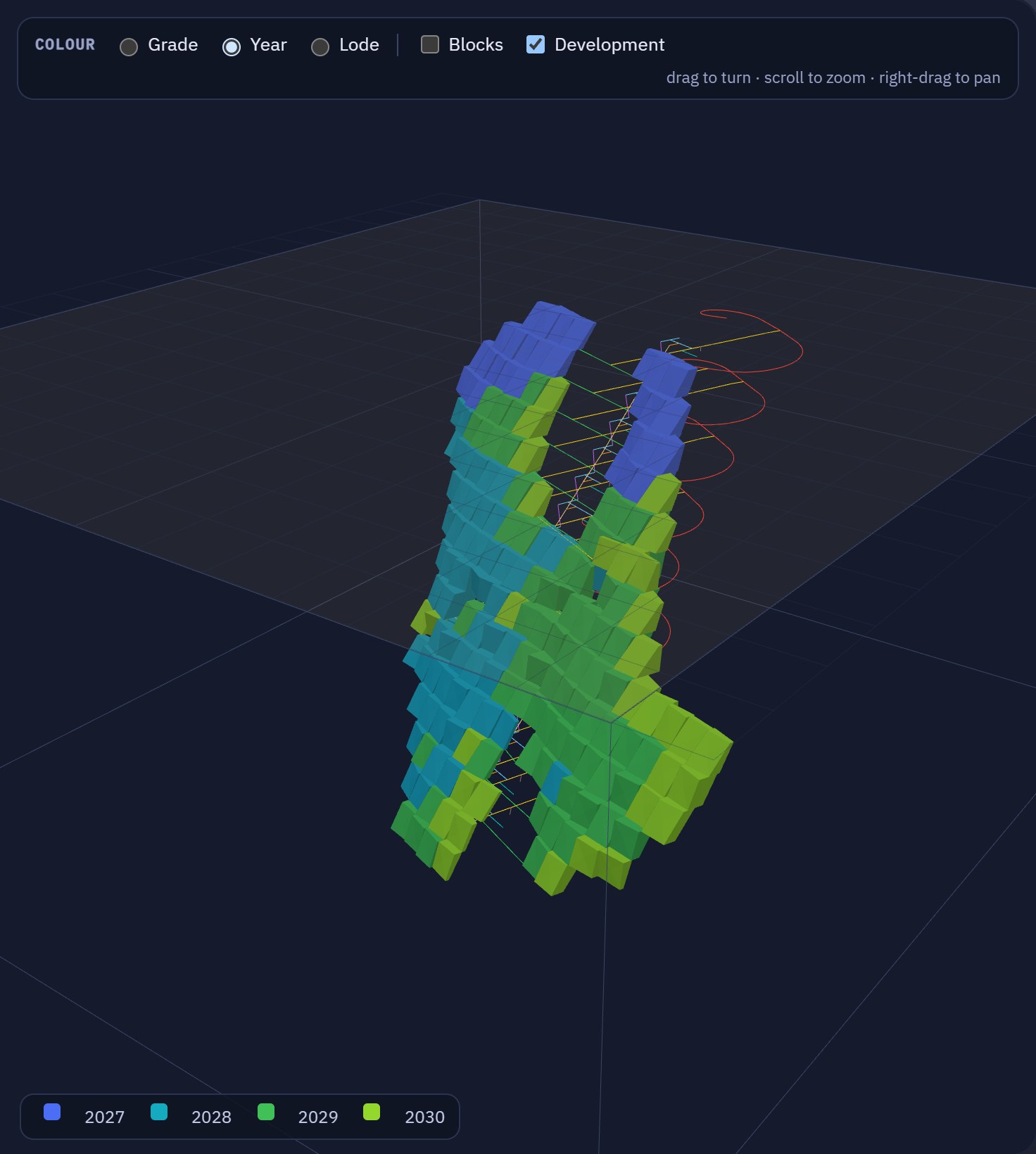
Try the whole chain on a made-up deposit
The demo runs in your browser: pick a cut-off and a level interval, run the stope optimiser, design the development and the decline, then change the fleet and watch the schedule re-level.
got a block model?
See your own mine in MineJue
MineJue is in beta with a few planners. Tell us about your deposit and what you'd like it to design.